Backtesting
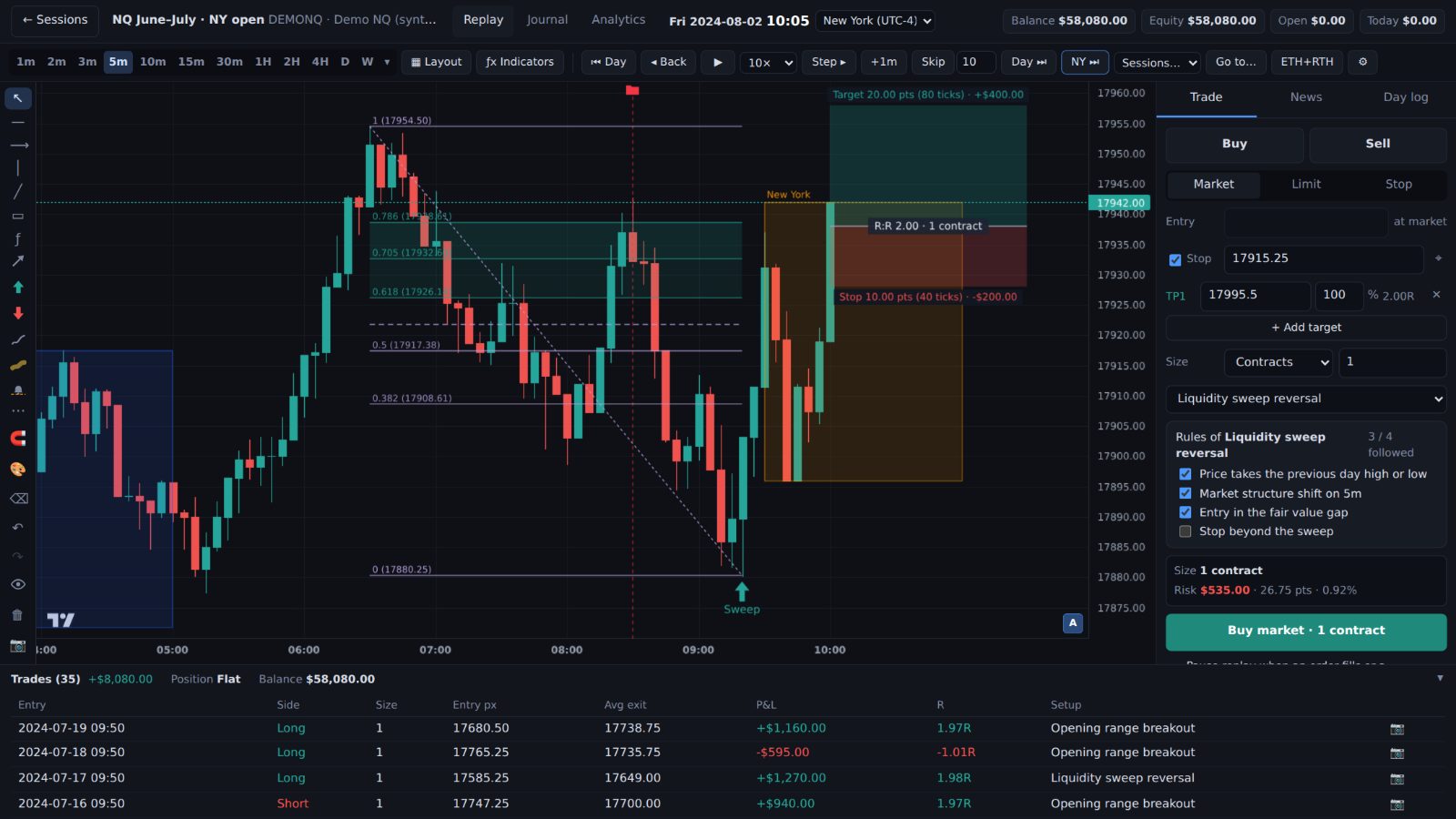
Replay any past day
Step candle by candle or press play. Market, limit and stop orders with realistic fills, random days with the date hidden, and prop-firm challenges under real rules (Pro).
How the replay worksBar replay + trading journal · NQ, ES & forex
Replay real market days one candle at a time, with the future hidden and realistic fills. Practise a prop-firm evaluation under its real limits. Every trade lands in your journal with its chart, and your real accounts can join it too.
From $15 a month. Prop-firm mode is on Pro. Cancel anytime. For Windows 10 and 11.
What we believe
Nobody sits a real exam without practising first. Replay real days until your plan feels almost boring. Boring is good. It means you'll do the same thing when the money is real.
Every timeframe comes from the same 1-minute candles and stops at the replay time. News numbers show up at their release, not before. Hide the date, and even your memory can't help you.
Streaks, ranks and levels come from showing up and following your rules. A loss that followed your plan still counts. A lucky win that broke it doesn't.
Good practice shouldn't cost more than a trading account. Forex data is free, the Daily challenge is free, and a plan starts at $15 a month. Futures data is included, with nothing extra to pay or set up.
Replaybook runs on your own PC. Your backtests and journal are kept there (and synced only to your own devices), your live accounts never leave it, and no trading password ever reaches us.
Built by a futures trader who needed it first.
One app, three parts
Step candle by candle or press play. Market, limit and stop orders with realistic fills, random days with the date hidden, and prop-firm challenges under real rules (Pro).
How the replay works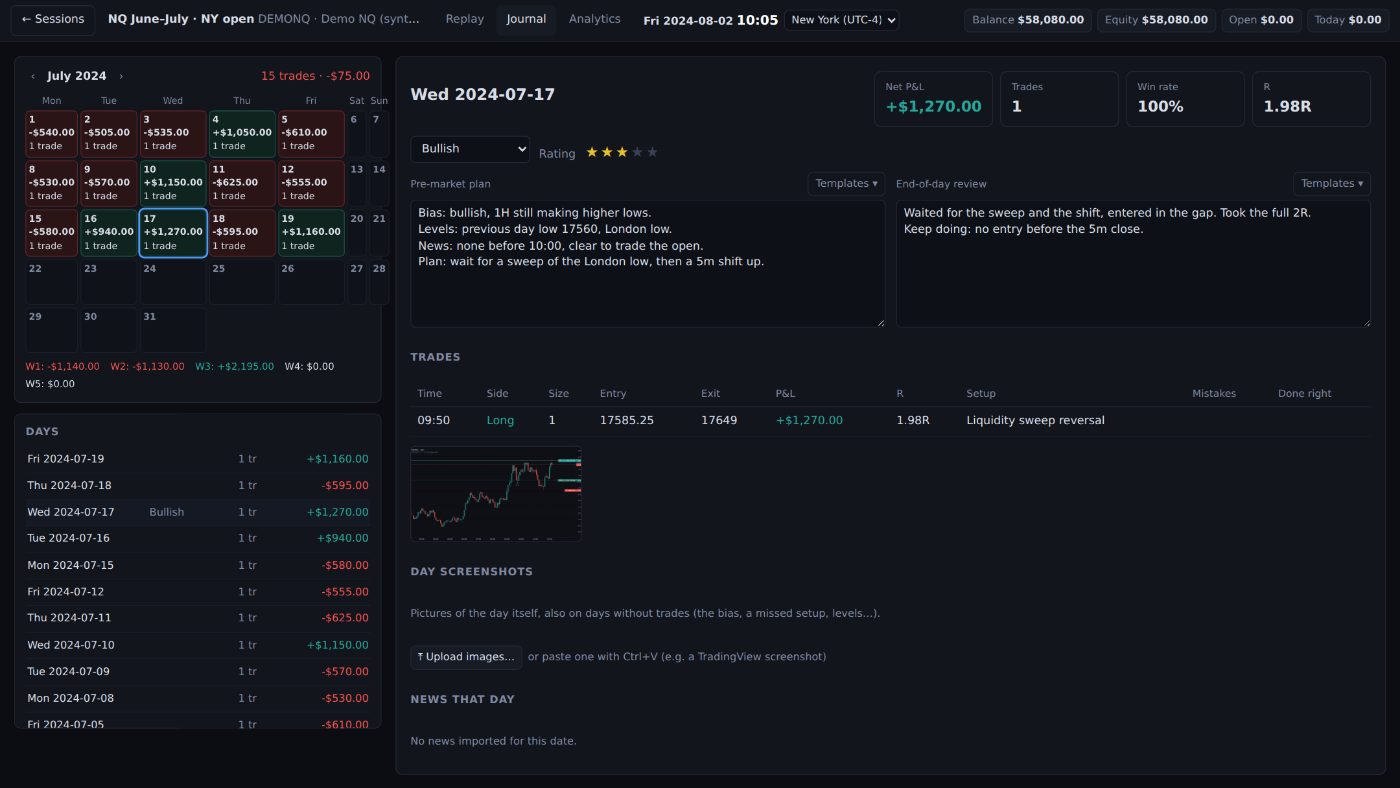
Every trade is logged with a framed chart picture. Add your notes, tick your setup's rules, and see your stats in dollars or in R.
See the journal and stats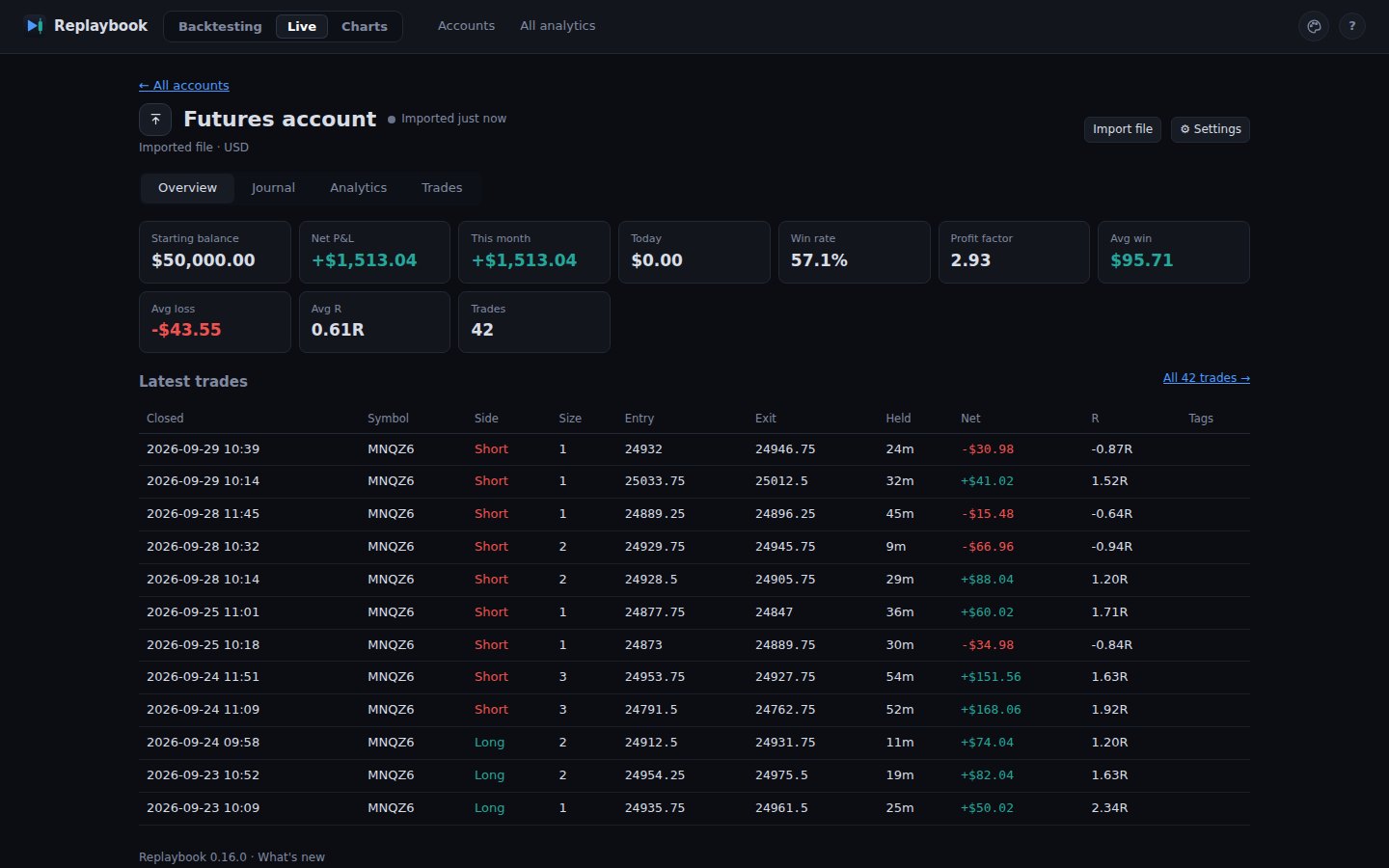
Bring in trades from MetaTrader 5, cTrader, TopstepX or a file, and watch live charts from your own data source, with the same tools.
See Live accounts and chartsTry it first
Without a subscription, Replaybook still lets you practise a little every day and look around. The 7-day trial unlocks everything else.
One day from the past, the same for everyone, on a free forex or index market. The date stays hidden until the end. Come back tomorrow for a new one, and keep your streak.
Download for WindowsA month of made-up NQ-like prices with 30 trades already journaled. Replay it, open the journal and the stats, try the looks. Works on a Mac too.
Try it in your browserThe looks
Six looks, each its own design, not a colour swap. Switch any time; nothing is lost.
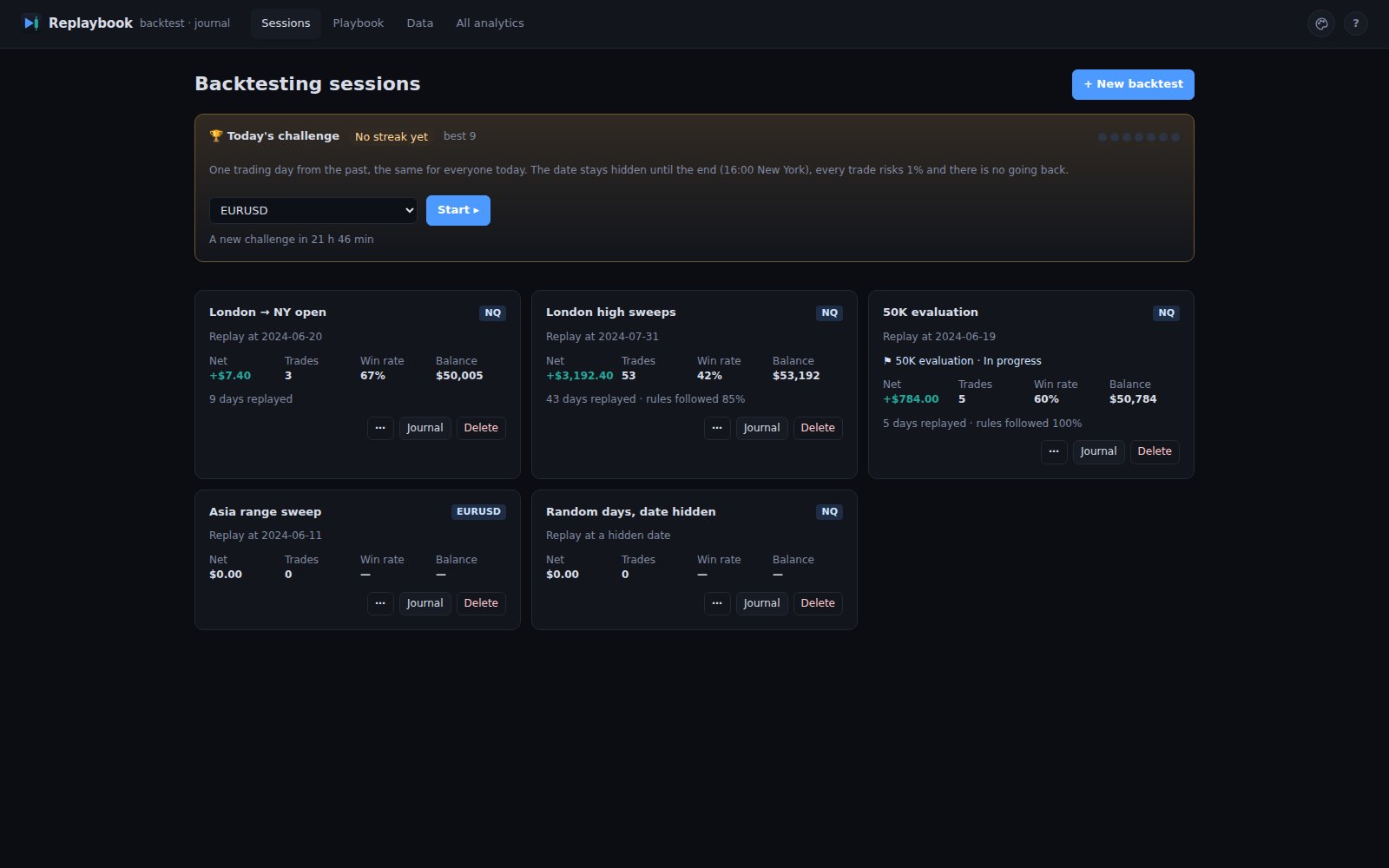
Plain and still, like a classic trading platform.
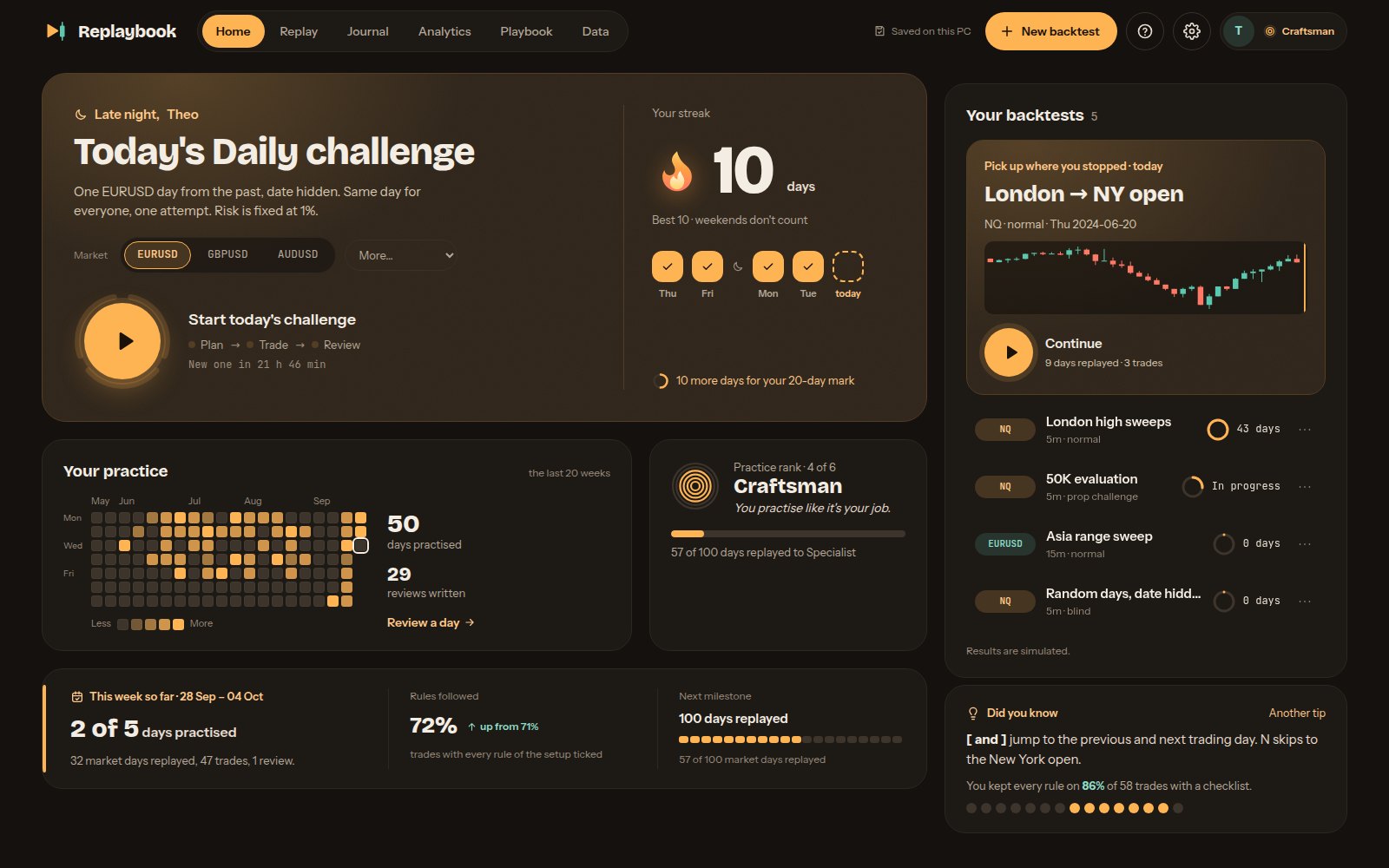
Warm dark with amber, a practice calendar and ranks.
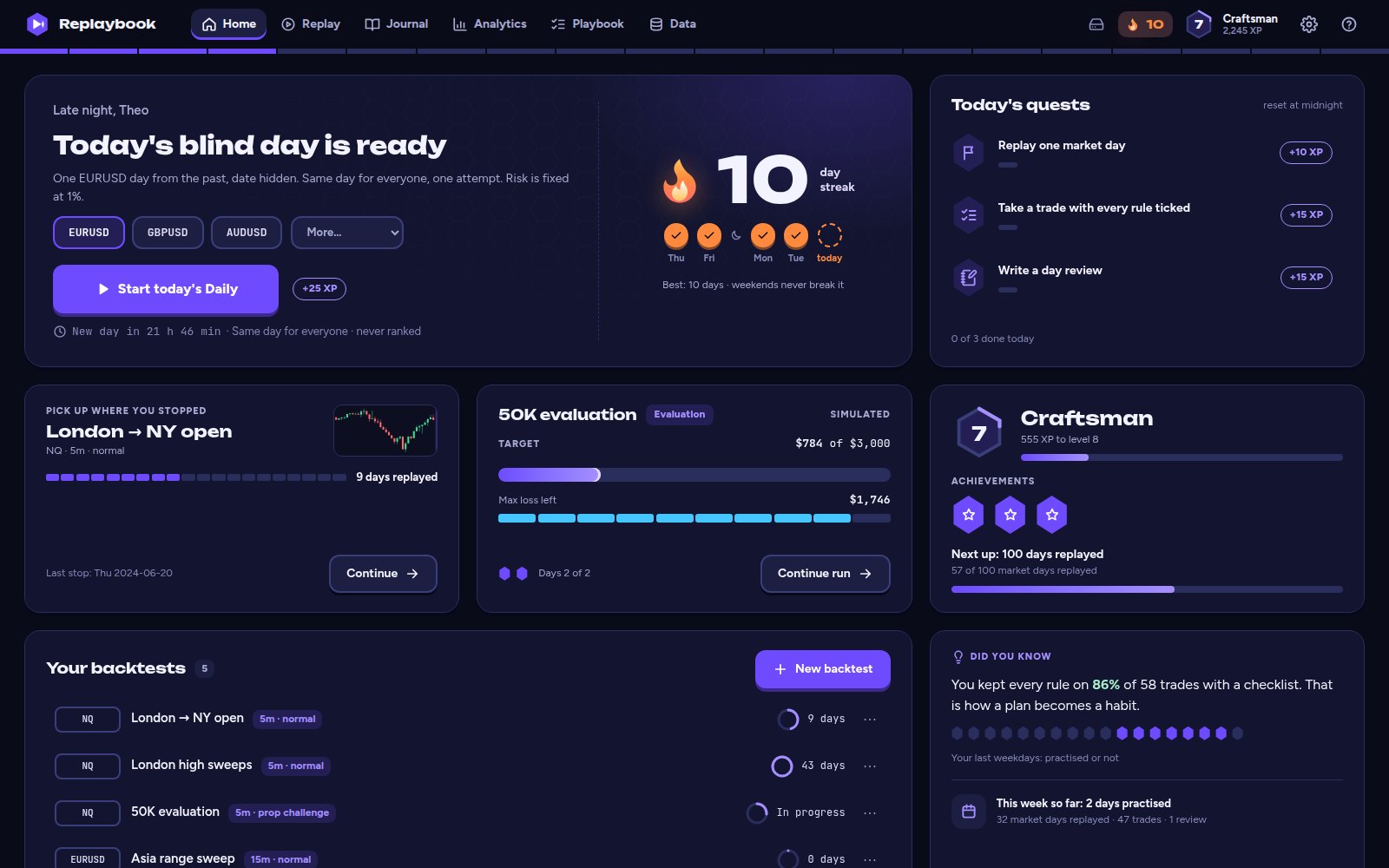
Violet on deep ink, with levels, XP and quests.
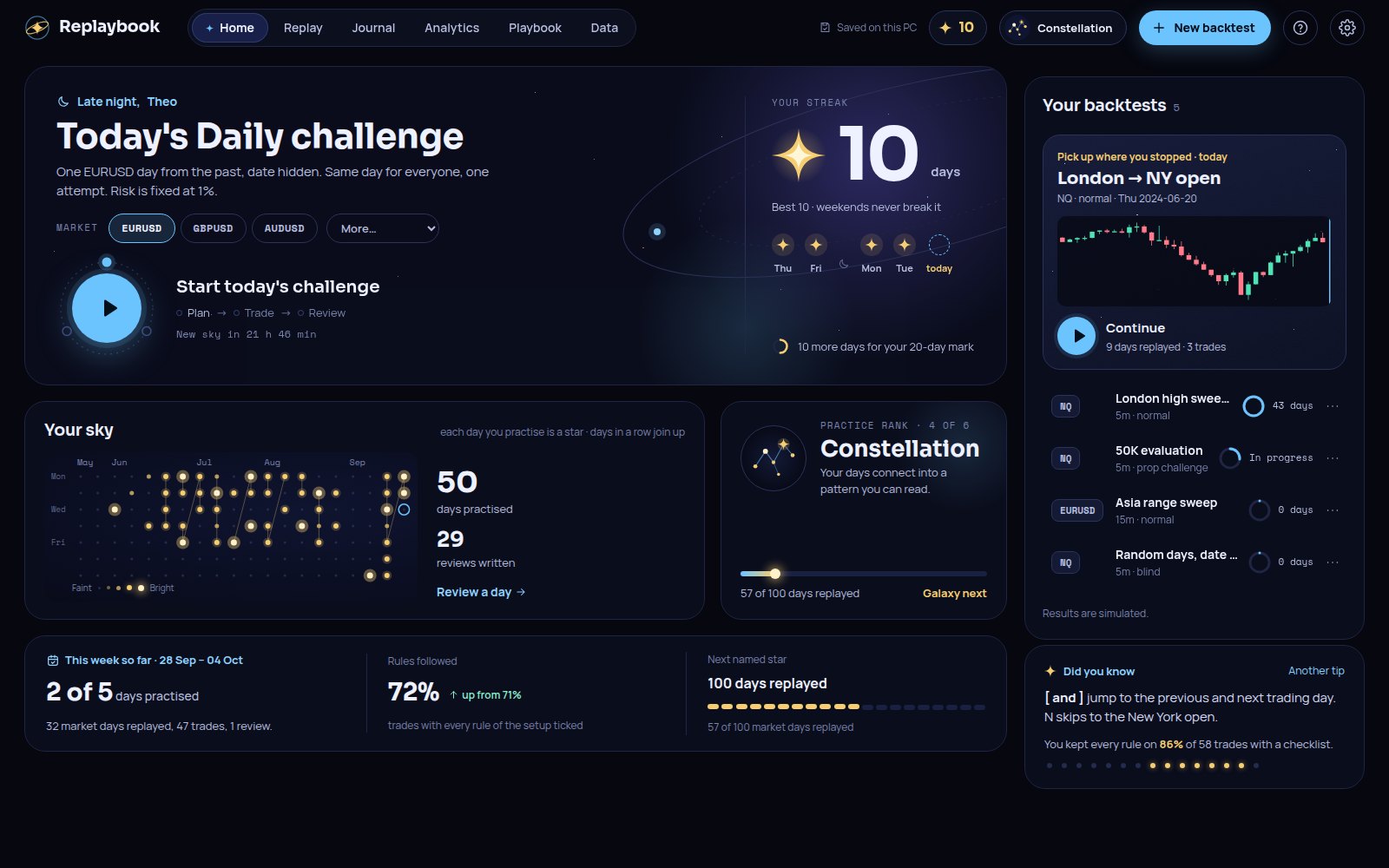
Deep space: your practice days become stars.
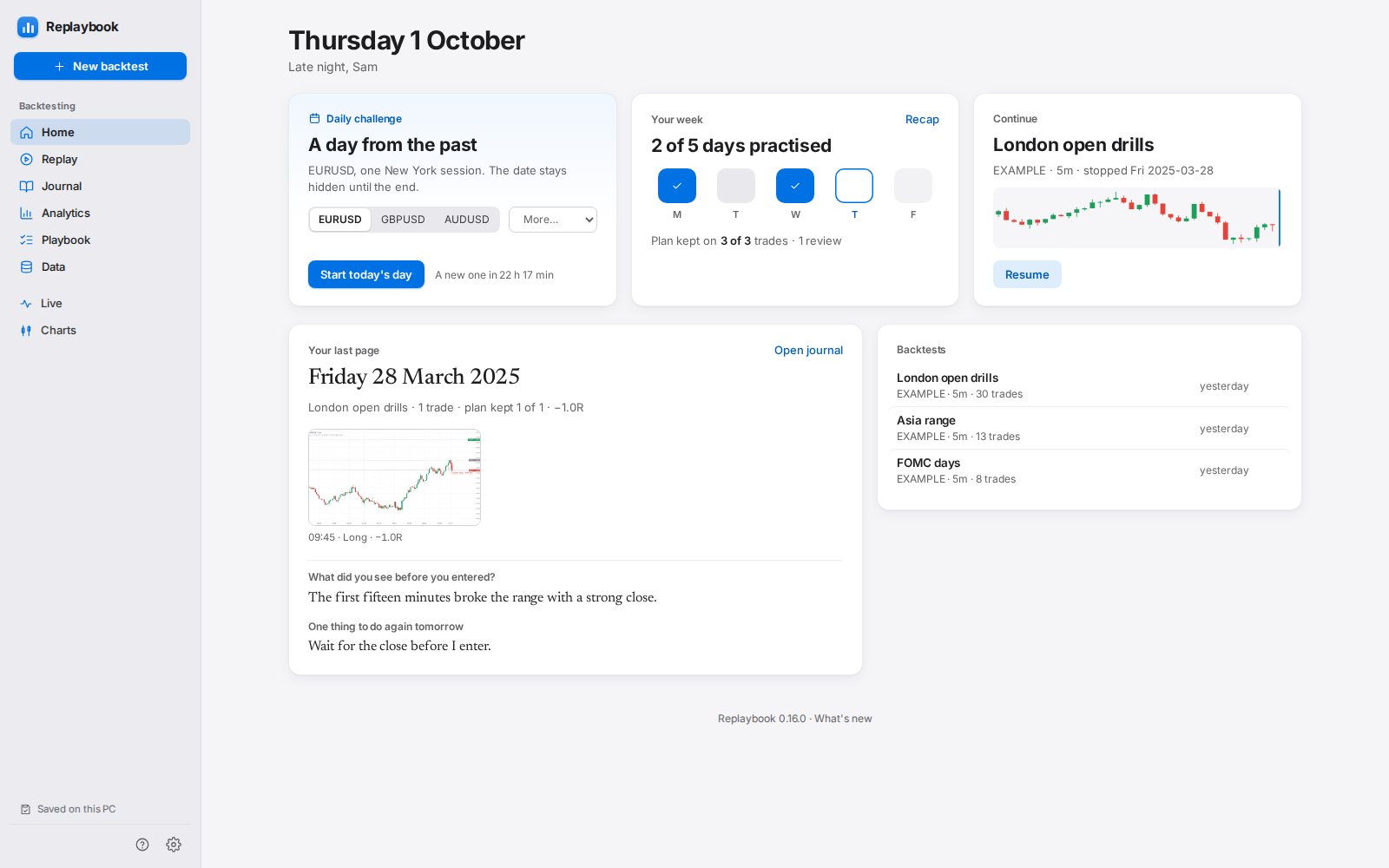
Calm and clear, light or dark with your computer. Your journal becomes a timeline of days.
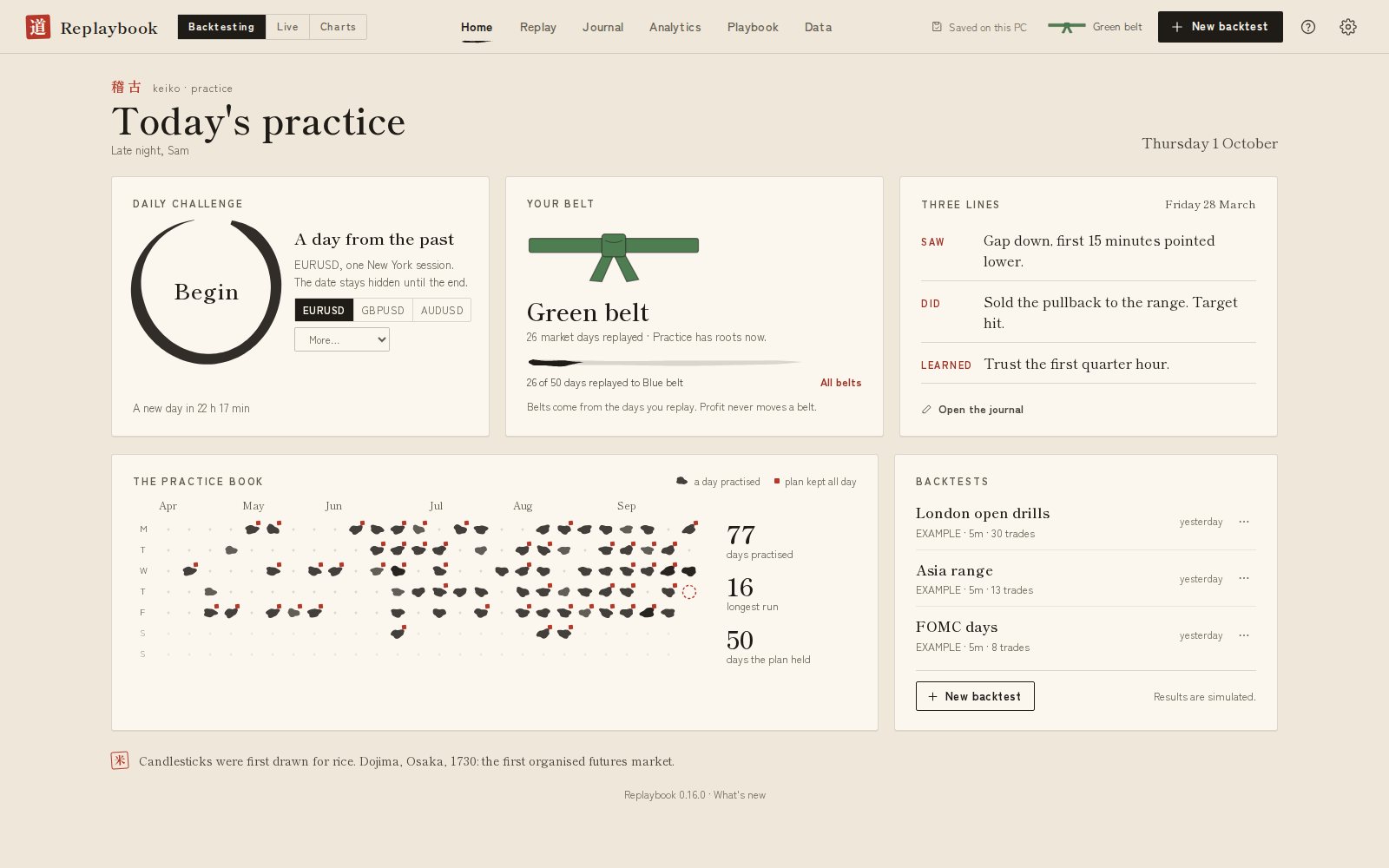
Washi paper and ink. Belts for the days you practise, a red seal when you keep your plan.
How it works
Run the installer on Windows 10 or 11. Sign in with the email you started your trial with: we email you a 6-digit code, no password. After that, Replaybook keeps itself up to date.
Forex, gold, index CFD and bitcoin candles download for free inside the app. CME futures such as NQ and ES are included: their candles load by themselves when you open a chart, with no account to set up. Or import your own 1-minute CSV.
The New backtest window walks you through it: Normal, Random, Blind, Chart only or Prop-firm challenge (Pro), then the market, the start date, the days you trade and the balance. A short tour shows you around the replay screen.
Write your review, look at the day's chart, and check your stats in $ or R. Then replay the next day, or take today's Daily challenge.
Pricing
Your card is needed to start the trial. Cancel before day 7 and you pay nothing. Without a subscription, the Daily challenge and the example backtest stay free.
Billed monthly
Founding 100: the first 100 Replay members pay $5 for their first month.
Billed monthly
Founding 100: the first 100 Pro members pay $5 for their first month.
Prices in US dollars; VAT or sales tax is added at checkout where it applies. The Founding 100 offer: the first 100 members on each monthly plan (Replay and Pro) pay $5 for their first month after the 7-day free trial, then the normal price. Each plan has its own 100 places. One subscription works on 2 devices (PCs or browsers), and your backtests sync between them. Futures data is included and forex data is free.
All payments are final: there are no refunds, so use the free trial to decide. By starting a trial you agree to the Terms and Refund policy, and ask for your license key to be delivered right away.
For trading creators
60%
Teach futures or forex on YouTube, TikTok or Discord? Share Replaybook with your audience and earn 60% of every payment each person you refer makes in their first 12 months.
Example
An example, not a promise: what you earn depends on how many people subscribe and stay. Launch-offer months pay 60% of $5.
FAQ
CME futures such as NQ, ES, MNQ, MES, YM, RTY, CL and GC included and loaded by themselves (continuous contracts, with the roll dates marked); forex pairs, gold, silver, index CFDs and bitcoin through Dukascopy's free data; or any market you have 1-minute candles for as a CSV file.
Forex and CFD data is free and downloads inside the app. Futures data is included in your subscription and loads by itself when a chart needs it; the app keeps every month it loads, so it works offline afterwards.
It can read your real trades, but it never places an order. MetaTrader 5 and cTrader connect through the free Replaybook Bridge add-on, which writes your trades to a file on your PC; TopstepX connects with your own API key, which stays on your PC; other brokers work through their trade files. Live charts use prices from one of those accounts, or clearly labelled demo prices: Replaybook doesn't sell market data. In replay, every fill is simulated and the smallest timeframe is 1 minute.
Yes. Without a subscription, the Windows app lets you play the Daily challenge on free forex and index markets, and anyone can look around an example backtest (made-up prices, 30 trades already journaled), also in the browser. No card needed. The 7-day trial unlocks everything else.
Futures data is traded prices: market orders, stop entries, stop losses and manual closes fill your slippage setting worse (1 tick by default); limit orders and targets fill at their price. Forex data is bid prices, so buys fill at the ask (the bid plus your spread). Inside each 1-minute candle, price is assumed to go open → low → high → close on a green candle and open → high → low → close on a red one, so when a stop and a target are in the same minute you always know which fills first. A stop the market gaps past fills at the open.
Yes, with Pro. Pick Prop-firm challenge in the New backtest window and set the rules: profit target, max loss (static or trailing), daily loss, minimum days, consistency, max contracts and more. Or start from a preset that copies a firm's published rules, with the date they were checked and a link to the firm's own page. Time only moves forward, like a real evaluation, and the limits stay on screen. Firms change their rules, so compare with your firm's current rules. Results are simulated and don't guarantee a pass, and Replaybook is not affiliated with any prop firm.
One trading day from the past, the same for everyone that day; a new one starts at 00:00 UTC. The date stays hidden, you trade 07:00 to 16:00 New York with one trade at a time and 1% risk, and there's no going back. At the end you see the real date, your result and your streak. It's free, even without a subscription, one attempt a day, and it doesn't count toward the Replay plan's 3 backtests.
Start a plan and use everything free for 7 days. If you keep it, you're charged the plan price at the end of the trial; the first 100 members on each monthly plan (Replay and Pro) pay $5 for their first month after the 7-day free trial instead. Each plan has its own 100 places. Cancel anytime from your account page.
Yes, anytime, from Account → Manage subscription in the app or the link in your receipt. Switching from Replay to Pro takes effect right away. When you cancel, you keep your plan until the end of the period you paid for.
Nothing is deleted. Your backtests, charts, journal, notes and pictures stay on your PC and still open. The replay stops where you left off until you subscribe again.
No. All payments are final, including unused time, which is why every plan starts with 7 days free. Cancel before the trial ends and you pay nothing. If you were charged by mistake, email us and we'll fix it. See the Refund policy.
A Windows 10 or 11 PC (64-bit). The installer sets Replaybook up for your Windows user, no admin password needed. Until our installer is code-signed, Windows may say "Windows protected your PC" the first time: click More info, then Run anyway.
Replaybook is a Windows app first. A Mac app is planned; tell us if you want it and we'll let you know when it's ready. Until then, the example backtest runs in your browser on a Mac too.
Yes. The app, your data and your journal are on your PC. It checks your subscription online once a day and keeps working for 7 days without internet.
Two, for example a desktop and a laptop, or your PC and the web version in a browser. Sign in with the email you paid with and a 6-digit code we email you; there's no password. Your backtests, journal, pictures and Playbook sync between them by themselves. On a third device you can sign out one of the other two right there, once every 30 days.
Replaybook updates itself. It downloads a new version in the background and shows Restart to update; your backtest is saved first. Updates are included while your subscription is active.
Yes. In Appearance → Feel, choose Calm to keep the screens still (it also follows your computer's reduce-motion setting), and set sounds to Off, Quiet, Normal or Loud. The Classic look has no animations, and its sounds start off.
No. Replaybook is a practice and journaling tool. Results in replay, in the Daily challenge and in prop-firm challenge mode are simulated and don't guarantee results in live trading or in a real evaluation.
Checkout opens soon. Email us to get on the Founding 100 list, ask a question or apply as a creator.
theodorcont@gmail.comEmail us